


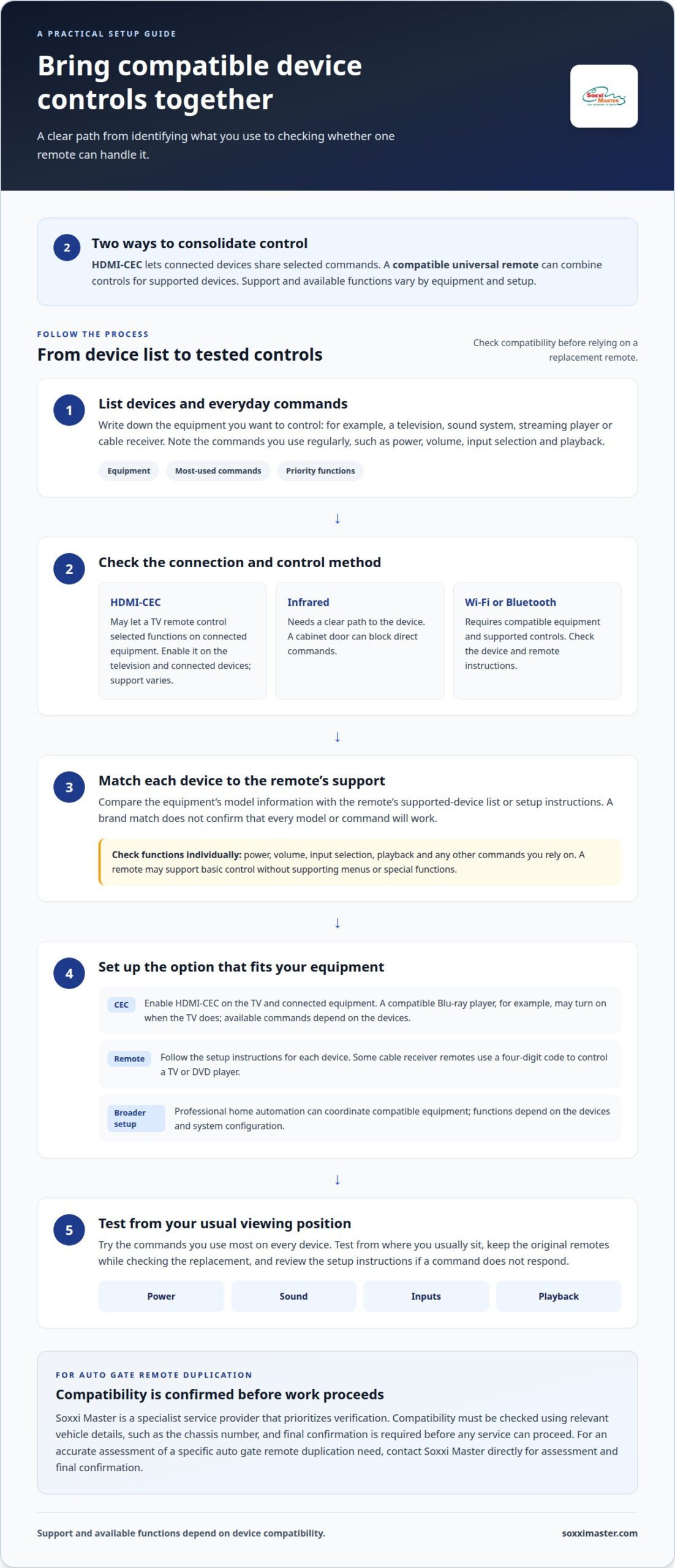
One remote can often control several devices, but the right approach depends on your setup. Consolidating multiple remotes into one device may mean enabling HDMI-CEC, which lets connected devices share selected controls, or programming a compatible universal remote. HDMI-CEC does not support every device or function, so a compatible replacement remote may offer more flexibility.
Switching remotes just to watch a show, adjust the sound or change inputs can be frustrating. This guide explains how to combine controls, what to consider when choosing a multi-device remote and how to check compatibility before you buy. You’ll also learn when HDMI-CEC can simplify your setup and when a universal remote may suit you better.
Key Takeaways
- See how HDMI-CEC and compatible universal remotes can bring some device controls together, and why the right method depends on your setup.
- Learn what to consider when choosing a replacement multi-device remote, including which functions you need it to handle.
- Compatibility can vary by device and system. For vehicle-related key services, Soxxi Master verifies vehicle details, such as the chassis number, and requires final confirmation before work proceeds.
- If you need an auto gate remote duplicated, contact Soxxi Master for an assessment and final confirmation based on your specific needs.
How can I merge the functions of two different remotes into one remote?
A universal remote can combine controls for compatible devices, while HDMI-CEC lets connected devices share selected commands. If your equipment is connected by HDMI, HDMI-CEC may let your TV remote control some functions, depending on device support. Keep in mind that a cabinet can block infrared signals.
- Check HDMI-CEC. Enable it on the television and connected equipment. For example, a compatible Blu-ray player may turn on when the TV does. The available commands depend on the devices.
- Program a consumer universal remote. Follow its setup instructions for each device. Some cable receiver remotes use a four-digit code to control a TV or DVD player.
- Consider infrared placement. Infrared remotes need a clear path to the device. If a receiver sits behind a cabinet door, direct commands may not reach it; HDMI-CEC can provide selected control through connected equipment, subject to compatibility.
- Match the connection method. Wi-Fi and Bluetooth universal remotes rely on compatible equipment and supported controls. Check the remote and device instructions to see whether the functions you need are supported.
- Choose the appropriate control setup. A consumer remote can combine everyday commands for compatible devices. A professional home automation system is a broader option for coordinating compatible equipment, but its functions depend on the devices and system configuration.
Before consolidating controls, list your devices and the commands you use most. HDMI-CEC may not work with every device, and some devices support only selected functions.
Programming some cable box remotes involves entering a four-digit code for a TV or DVD player.
HDMI-CEC sends control signals between devices over HDMI, allowing one remote to control multiple devices. Sideclick remotes can be programmed by placing them an inch apart from an existing remote and following the product manual. Check that your devices are compatible before choosing a setup.
Replacement multi-device remotes
- List the equipment. Write down each device you want the replacement to control, such as a television, sound system, streaming player or cable receiver. Note the commands you use regularly, including power, volume and input selection. For households consolidating multiple remotes into one device, this list helps define the required device support.
- Compare device support. Check the universal remote’s instructions for supported device types and brands. A brand match alone doesn’t mean every model or command is supported. Compare the listed support with the equipment you own before choosing.
- Review programming instructions. Some cable receiver remotes use a four-digit code to control a television or DVD player. Follow the instructions for your specific remote and device, and retain your original controls while testing the replacement.
- Prioritise useful buttons. Consider which commands need quick access. For example, a household that regularly changes receiver inputs may prioritise that function alongside television power and volume. Button layouts and supported functions vary by remote.
- Test each device. Try the commands you rely on, such as power, sound adjustment, input selection and playback. Test them from where you usually sit, then consult the setup instructions if a command doesn’t respond.
- Choose for your control needs. Consolidating multiple remotes into one device depends on compatibility between the replacement and each device. Check whether the remote’s supported functions match your priorities; don’t select it based only on the number of devices it claims to control.
Price is another consideration when comparing replacement options. Compare the cost with the device support and functions you need, rather than judging suitability only by how many devices the remote claims to control.
Keep your equipment list and most-used commands in mind as you weigh your options. A remote that meets your control needs is more useful than one chosen on price alone.
Which devices and brands are compatible with universal remotes?
- Start with device categories. List the television, cable receiver, sound system and streaming player you want to control. A universal remote may support several categories, but its device limit and functions depend on the remote. Match each device to a supported category before selecting a replacement.
- Check exact model support. Brand compatibility alone doesn’t confirm that every model or command will work. Find each device’s model information and compare it with the remote’s supported-device list or setup instructions. Confirm key functions such as power, volume, input selection and playback.
- Identify the control method. Infrared equipment usually needs a clear signal path. Wi-Fi and Bluetooth remotes require compatible devices and connection methods. HDMI-CEC can share selected controls between connected devices, but support varies, and some equipment may offer only certain functions.
- Separate basic control from full control. A remote may switch a television on without supporting its menus or special functions. Test commands individually, such as changing a cable receiver channel while adjusting television volume. Don’t assume one working button means every feature is supported.
- Consider devices outside a typical living-room setup. Audio equipment, projectors and game consoles may need different commands or connection methods. Check the remote’s instructions for each device type, then test the functions you use most. A universal remote isn’t a universal solution for every brand or system.
- Keep a fallback during setup. Retain each original remote until you’ve tested the replacement across your devices. If a command doesn’t work, review the selected device profile and programming steps. Compatibility can depend on the model, connection method and function required.
Soxxi Master: Auto Gate Remote Duplication
Soxxi Master offers Auto Gate Remote Duplication for people who need a duplicate auto-gate remote. A universal remote for home entertainment and an auto-gate remote serve different systems, so combining television controls won’t necessarily operate a gate. Compatibility depends on the system.
For vehicle key services, compatibility is verified using vehicle details such as the chassis number. Final confirmation is required before service proceeds. This helps establish whether a vehicle key service suits the specific vehicle, rather than relying on appearance alone.
If you need an auto gate remote duplicated, contact Soxxi Master to discuss your needs and receive an accurate assessment.
Choose a setup that fits your daily routine
Decide which controls you want within reach during a typical evening. Consolidating multiple remotes into one device can simplify everyday viewing, while separate controls may still be needed for systems that use different access methods. Let compatibility and the functions you actually use guide your choice, rather than expecting one remote to operate every device.
If you also need vehicle keys or access credentials, Soxxi Master offers Car & Motorcycle Key Duplication, RFID Access Card Cloning and an All Keys Lost Solution. For vehicle-related services, compatibility is verified using vehicle details such as the chassis number, and final confirmation is required before work proceeds.
Describe your needs to get an accurate assessment and understand the appropriate next step. A clear explanation helps focus the discussion on the system you need help with.
Frequently Asked Questions
What are the limitations and risks of consolidating remotes?
Combining controls can leave gaps if a replacement does not support a device’s less-used functions. A single remote also becomes a single point of failure: if it is misplaced or its batteries run out, convenient control of several devices may be lost at once. Keep original remotes accessible until the new setup works reliably, and consider whether separate access systems need their own controls.